Every request has an owner.
The team asks. You approve. It is all written down: who asked, how much and when. In the same window: each store's result, and every figure says where it comes from.


What it does
Approvals in one queue
Expenses, refunds and advances your team asks for wait in one place, each with who asked, how much and when. Only the owner approves money going out, with Aprovar (approve). Whoever asked can see where their request stands.
Expenses with proof
Every expense carries its proof: a receipt, a contract or a link. Change the amount on a request and it needs proof again.
Each store's result
See each store's result after product costs, shipping, fees and ads. The app labels it antes de devoluções (before returns), because refunds are not in that figure.
Store analysis
Orders, customers and products from each Shopify store arrive in Karsi, with the cost of every product. For a store that has connected Meta Ads, ad spend lands in the same accounts. Switch stores without leaving the app.
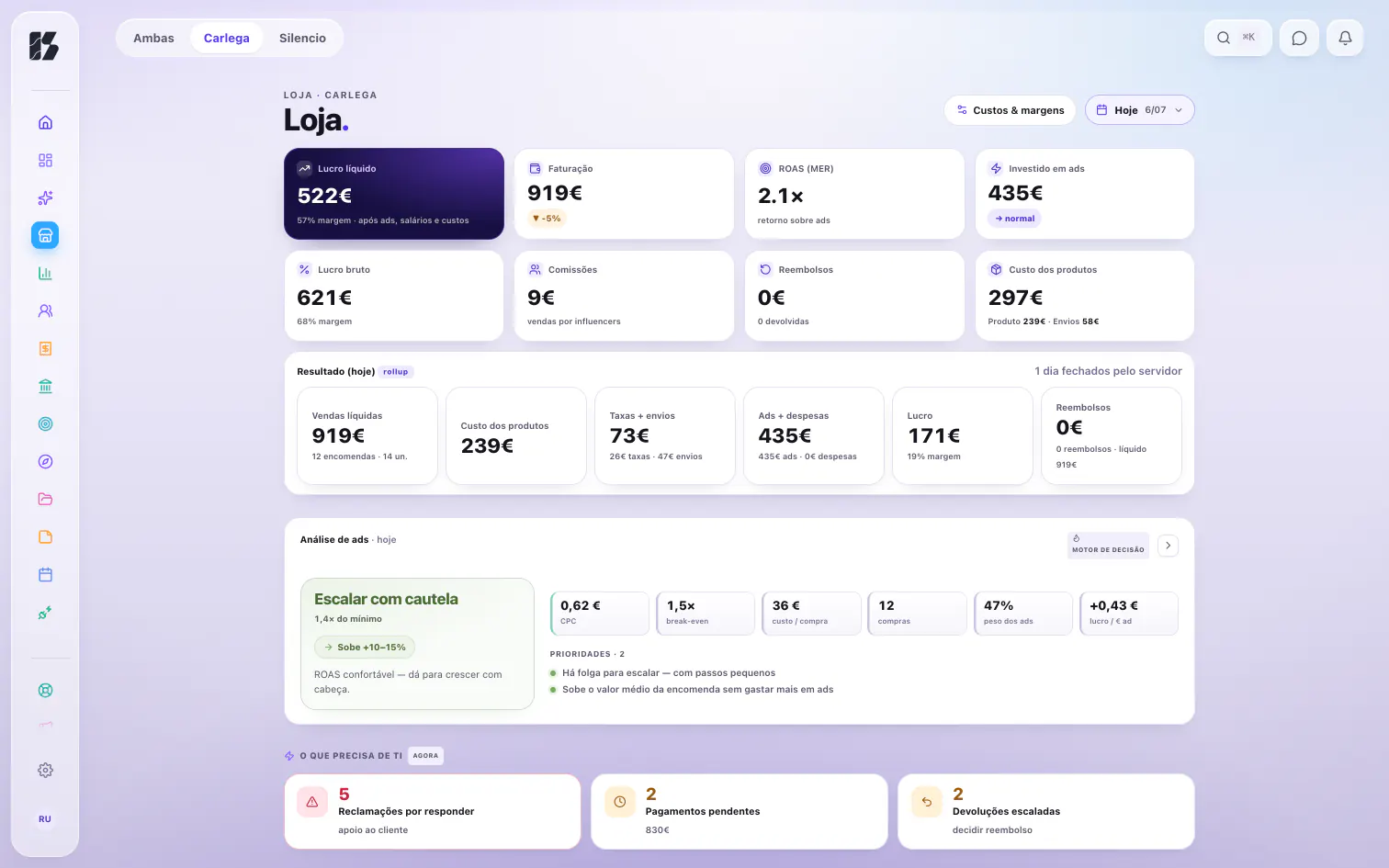
Store, carlega. Demo data, 6 Jul 2026. Every decision stays in the Archive
Everything decided is recorded in the Archive, the company's memory. Only the owner can open it.
How you know
Every figure says where it comes from: DADOS REAIS (real data), ESTIMATIVA (estimate) or PRÉ-VISUALIZAÇÃO (preview). And roles are checked on the server, not just on screen.
Common questions
Who can approve?
Only the owner approves money going out. The rest of the team asks, and sees where each of their requests stands.
Does each store's result count returns?
No. It is a result before returns: product costs, shipping, fees and ads come off, and refunds stay out. The app says so right by the figure.
Which ad spend is counted?
Meta Ads spend, for each store that has connected it.
Does the whole team see the store figures?
No. Each role sees what is theirs, and each person sees only the stores they have been given.