Everyone sees their own day.
Everyone opens Karsi on their own day: tasks, goals, meetings, requests and what they will be paid. They see only their own; whoever manages sees everyone's.
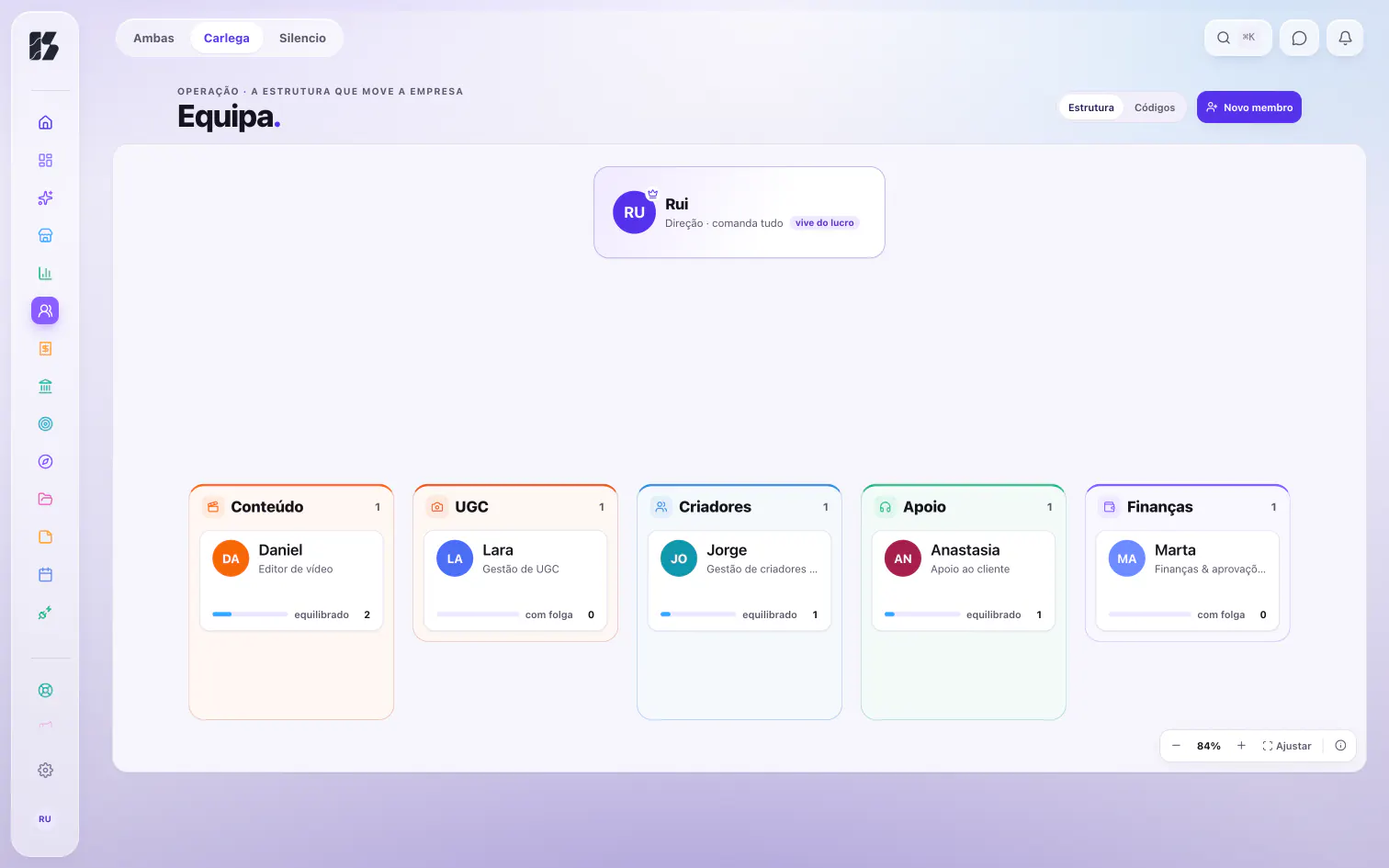
What it does
My home
Not one more queue: one person's day, laid out for them. Their tasks by deadline, their goals, meetings, requests and what they will be paid, on one screen.
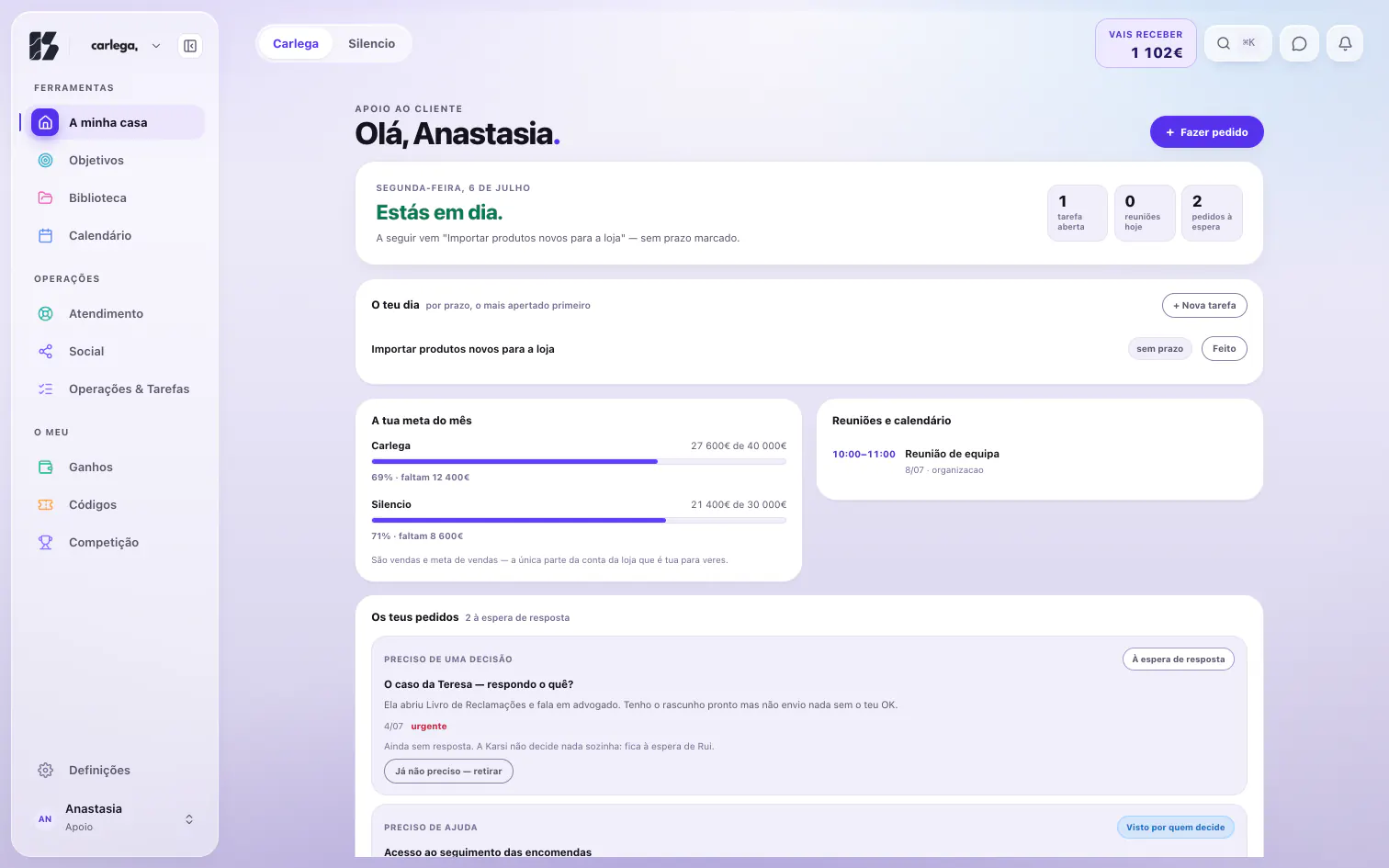
My home, Anastasia. Demo data, 6 Jul 2026. Earnings
Everyone sees what they will be paid, when the next payment lands and where each part comes from: the base, and what their own work earned. No colleague sees it; only whoever manages.
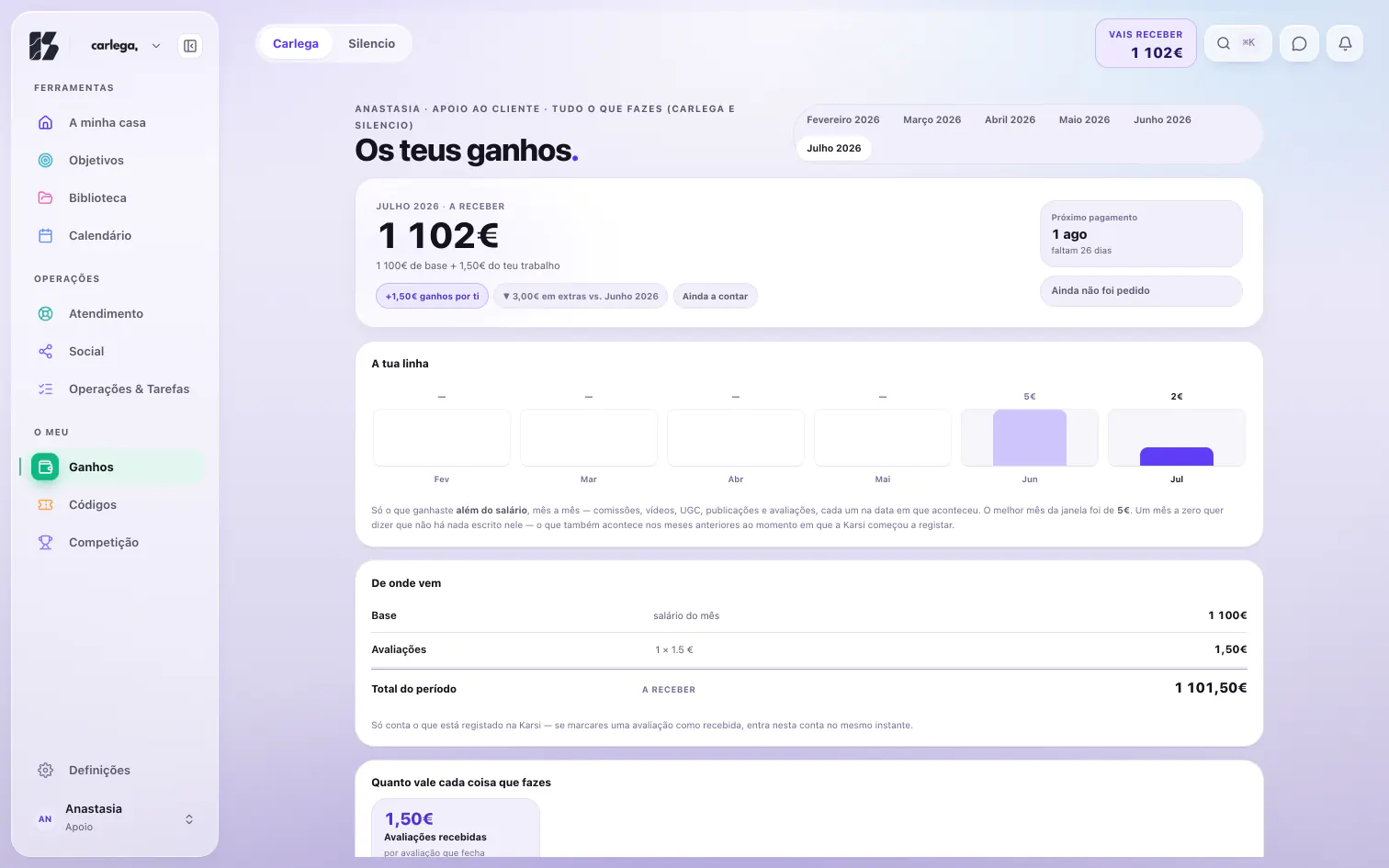
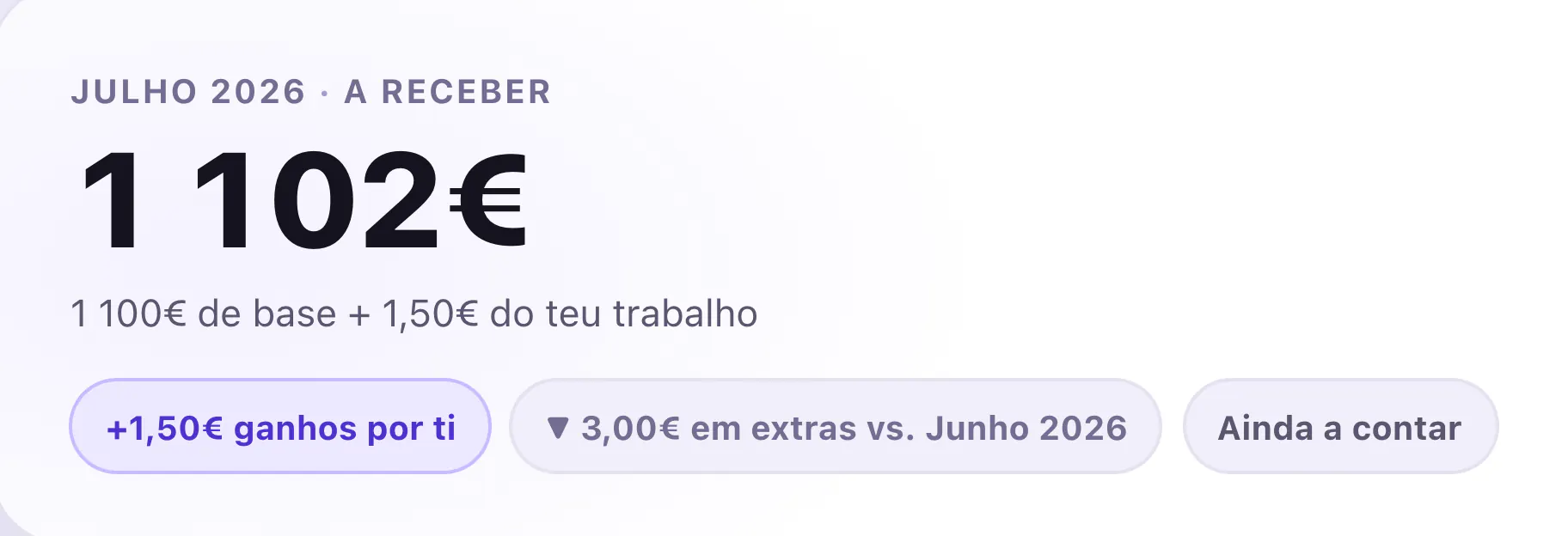
Your earnings, Anastasia. Demo data, 6 Jul 2026. Goals and commissions
Everyone has their own goals and commissions, and sees only theirs. Whoever manages sees the whole team's, and what is due to each person.
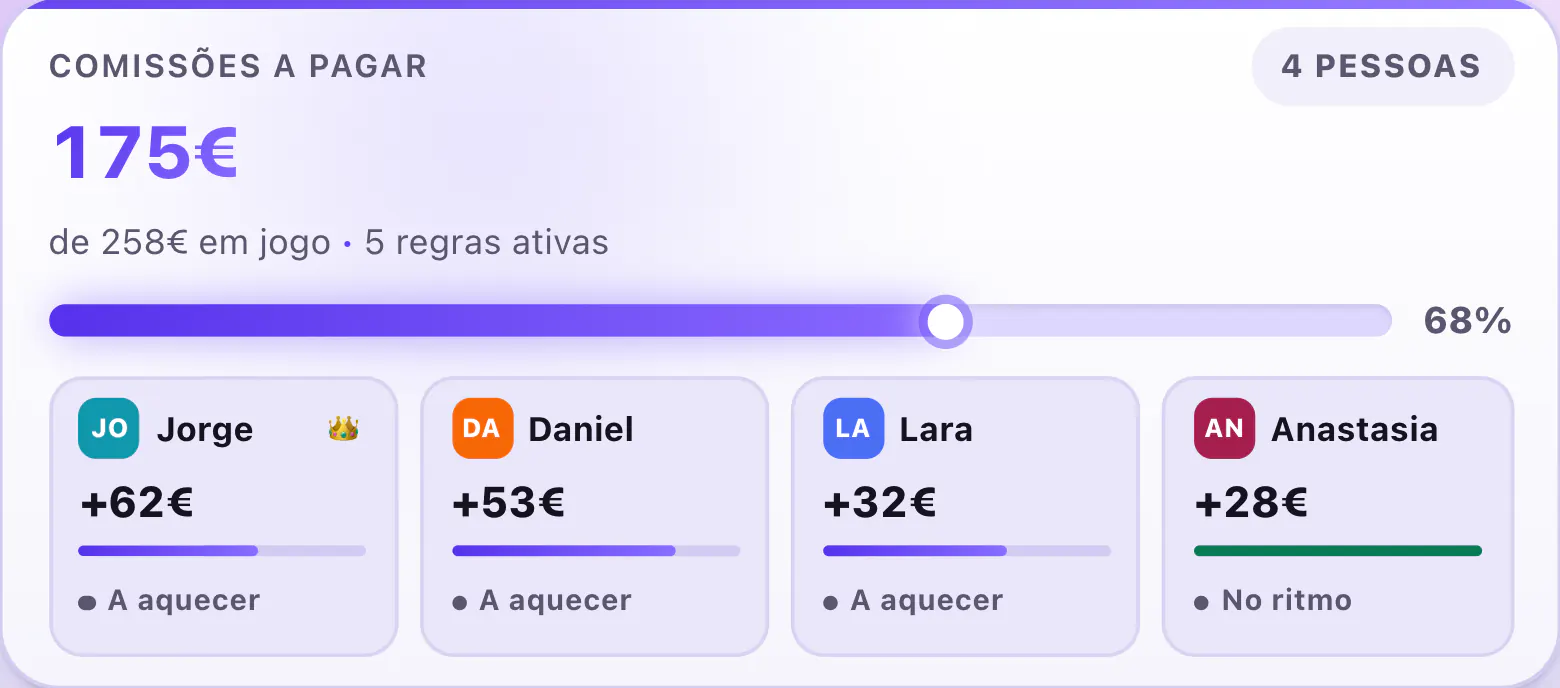
Casa, commissions due. Demo data, 6 Jul 2026. Standings
The team ranked by what each person delivered over the last 7 or 30 days, and everyone sees where they stand. The app puts it plainly: Não há pontuação inventada, no made-up points.
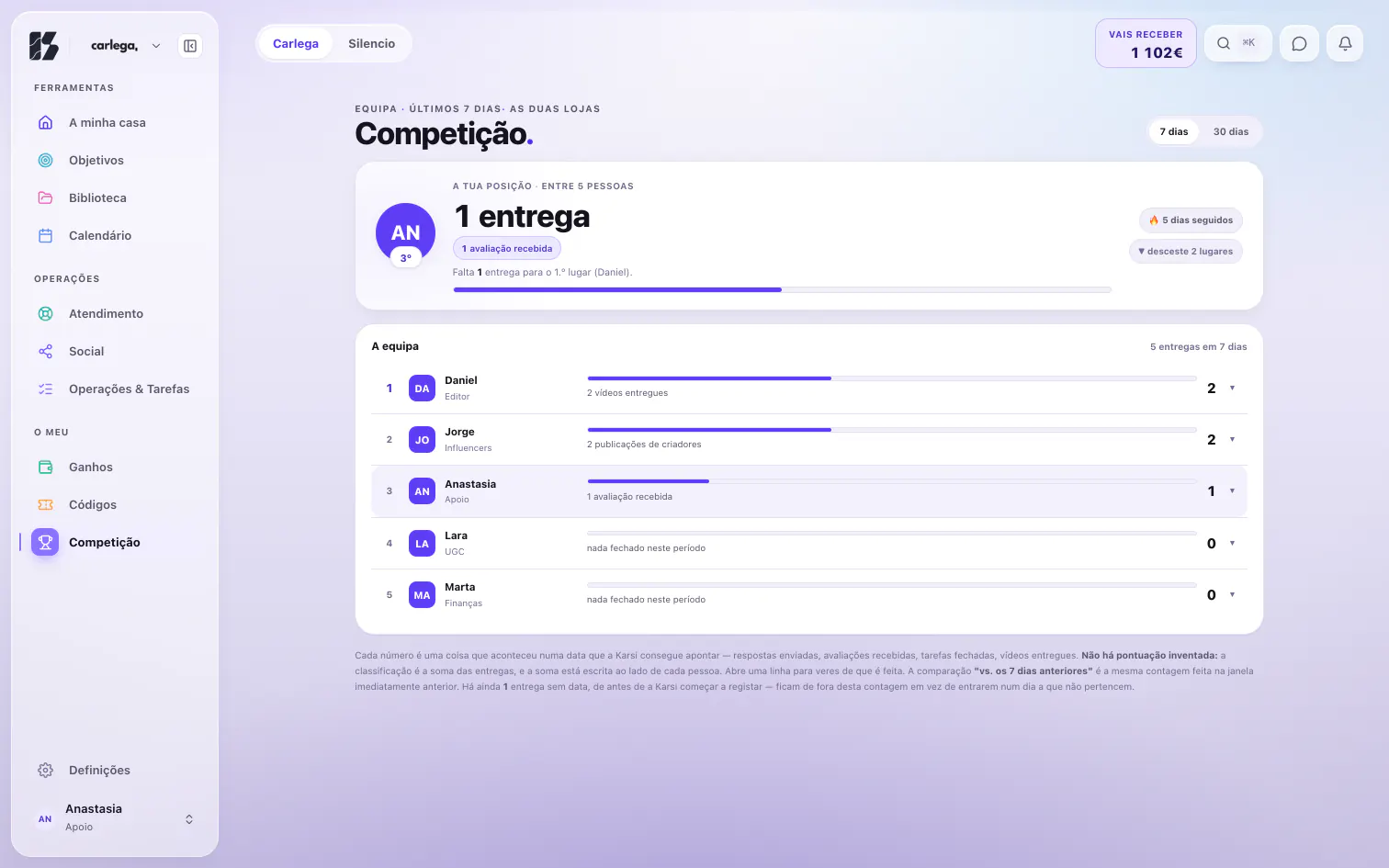
Standings, Anastasia. Demo data, 6 Jul 2026. Team requests
The team asks for expenses, refunds and advances, and follows where each request stands. It is all written down: who asked, how much and when, and no money leaves until the owner presses Aprovar (approve). The other side lives in Money.
How you know
The server sends each person's pay only to them and to whoever manages, and roles are decided there, not on the screen. In the standings, the total that ranks each person sits beside their name, and every row opens on the deliveries behind it.
Common questions
Who can see what each person earns?
Each person sees only their own pay. Whoever manages, the owner and finance, sees everyone's. The server decides that, not the screen.
What roles are there?
Six: owner, finance, customer support, editing, UGC and influencers. Each sees what is theirs, and only in the stores they were given.
How does someone new join the team?
By invitation: they get a link with a code that works once, choose their email and password, and get an account of their own.
How are the standings counted?
By dated deliveries: replies sent, reviews received, tasks closed, videos delivered. A delivery with no date stays out, rather than landing on a day it does not belong to.