Connect your Shopify stores.
Each store connects through a Shopify app installed in it. Orders, customers and products arrive in Karsi, and your team works on them in one window.
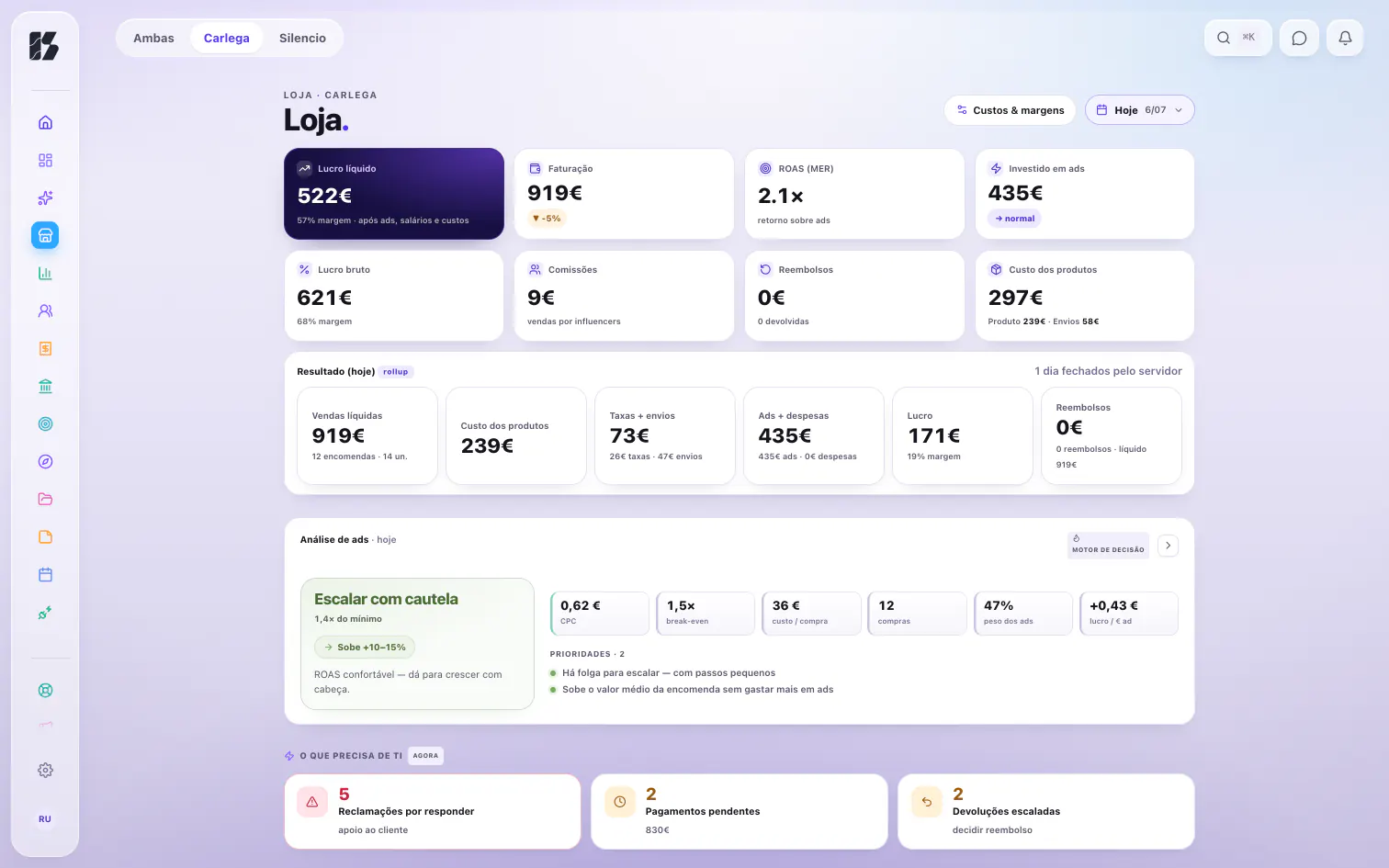
What reaches Karsi
| What arrives | From |
|---|---|
| Orders | The Shopify store |
| Customers | The Shopify store |
| Products | The Shopify store |
| Cost of each product | The Shopify store |
| Ad spend | The store's Meta Ads account1 |
How it connects
You create your account
On the website, with your name, your company, your email and a password. It is free. Create an account.
One app in each store
Each store connects through a Shopify app installed in that store; in Shopify, the app is called Karsi - Store Manager. You open the app and paste the code the website gives you, and the store is linked to your account. From then on, its orders, customers and products reach Karsi without anyone copying them over by hand.
Your stores in one window
With more than one store, you switch between them without leaving the app.
What stays in Shopify
Your store stays on Shopify: the storefront, the checkout and your customers' payments. Karsi does not replace them.
Karsi is the Mac app where your team does the work behind the store: who handles what, the money going out, the customers waiting for a reply.
What Karsi adds
Everyone, their own stores
Each person has their own home in the app and sees only the stores they were given. Roles are checked on the server, not just on screen.
More on TeamEach store's result
See each store's result after product costs, shipping, fees and ads, antes de devoluções (before returns). Every figure says where it comes from.
More on MoneyThe order in view
Customer emails come in through each store's Gmail account. When a case has an order, you see where it is without leaving the desk.
More on SupportQuestions about your stores
Íris answers questions about your stores with your permissions. She never sees more than you do.
Meet Íris
What stays out
On ads, only Meta Ads spend reaches the accounts. Google Ads and TikTok Ads do not.
The support desk shows your team where each order is. It is not a tracking page for your customers.
Common questions
Does Karsi run inside Shopify?
No. Your team works in Karsi, a Mac app for macOS 15 or later. The app installed in the store is what connects the store to Karsi.
How do I get into Karsi?
You create your account on the website, for free, and connect the store with the code the website gives you. Whoever joins your team comes in by invitation. Create an account.
Can I have more than one store?
Yes. Your stores share one window, and you switch between them without leaving the app. Each person sees only the stores they were given.
Who sees each store's data?
Only the people given access to that store. Roles are checked on the server, not just on screen. More on the Security page.